Explained with a simple analogy
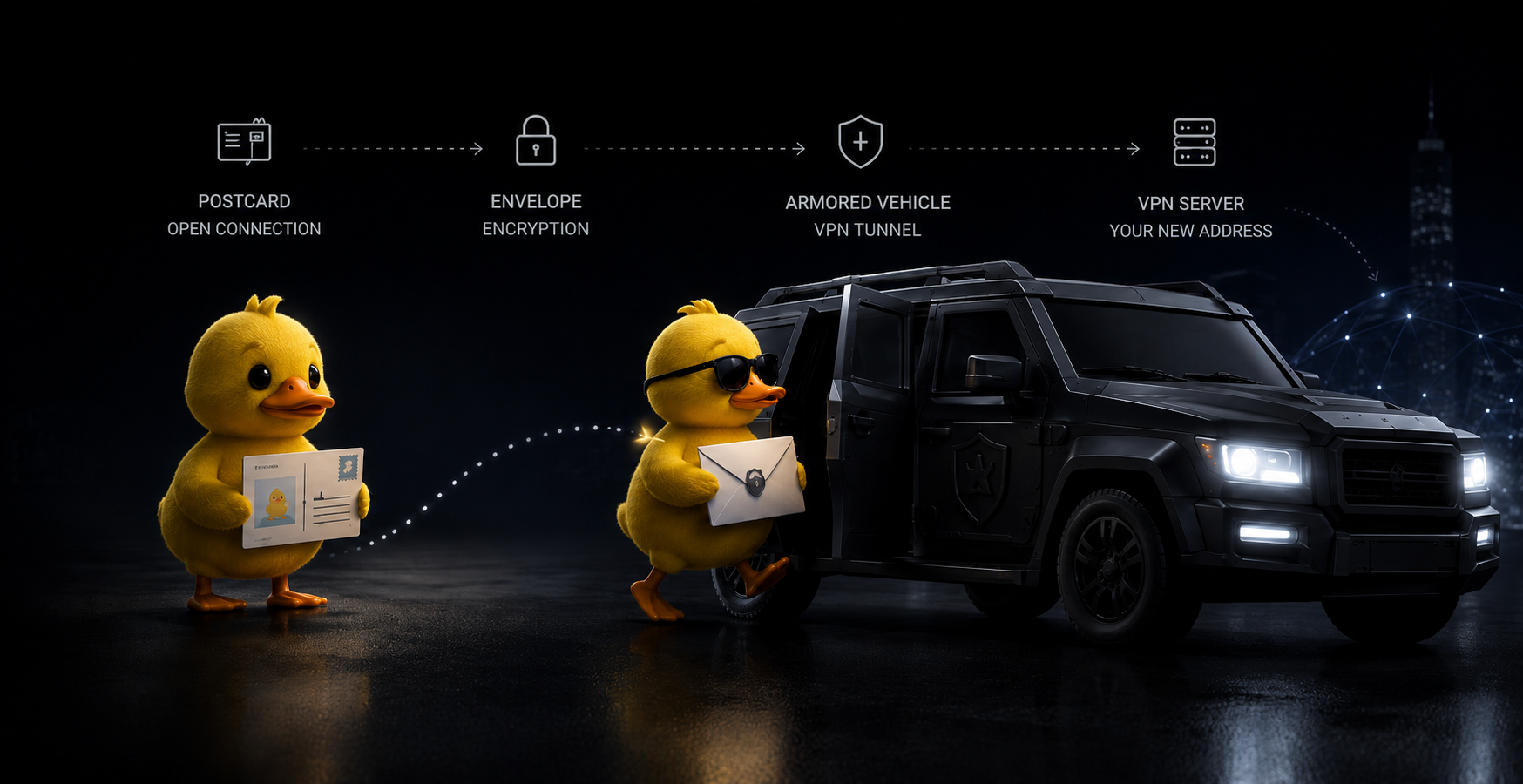
Imagine an ordinary internet connection is a postcard you drop in the mail. Anyone whose hands it passes through can read the text and see who it's from and who it's going to. That's exactly what your requests look like to your ISP and the network owner: the route and part of the contents are visible to them.
A VPN turns that postcard into a sealed letter riding inside an armored truck to a trusted office in another city. Along the way no one can open the envelope or figure out what's inside. And when the letter is finally handed to the recipient, it carries the office's return address, not your home one.
In this analogy the “envelope” is the encryption, the “armored truck” is the secure tunnel, and the “office in another city” is the VPN server. Your ISP only sees that you've established a connection to the server, but can't peek inside to learn which resources you're actually visiting.
How a VPN works under the hood
The entire data exchange happens in a fraction of a second and runs automatically — all you have to do is press the connect button. Under the hood, though, three key stages take place.
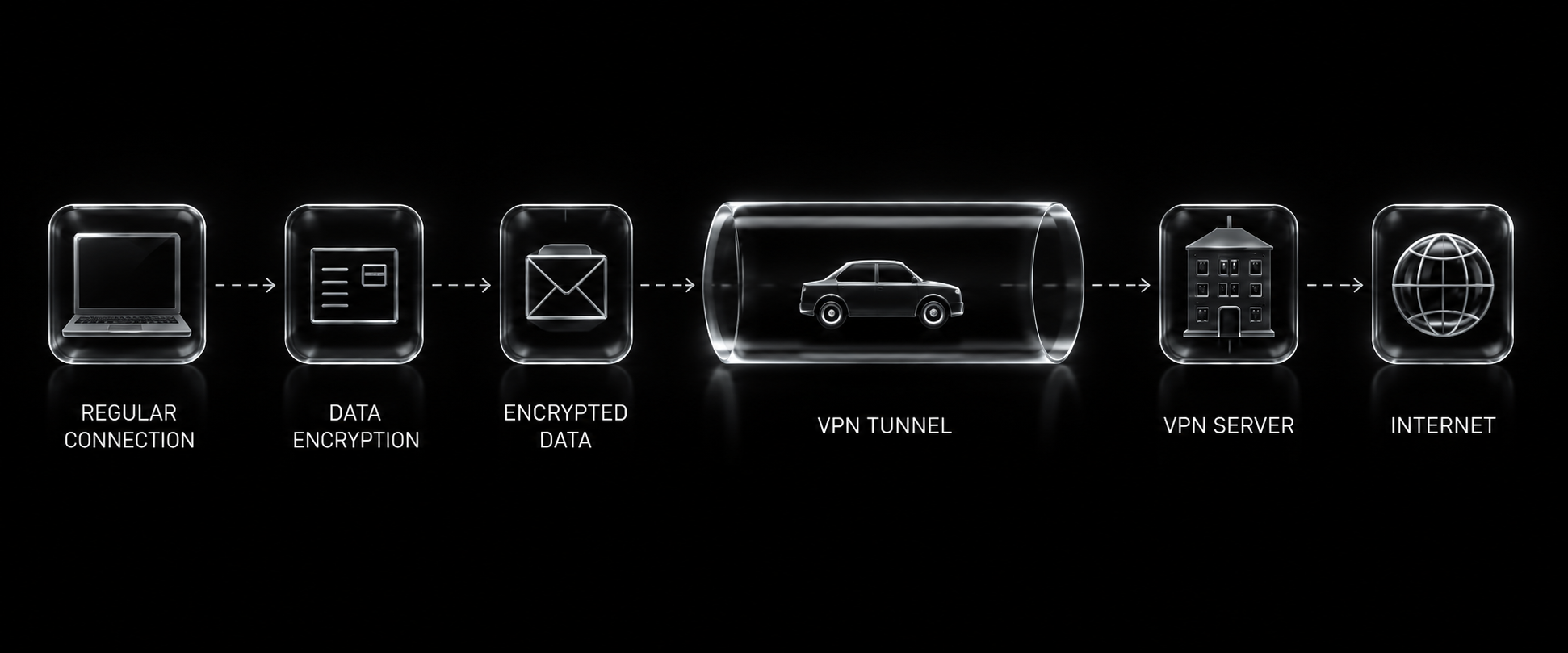
When you open a site or app, the data isn't sent to it directly. First it enters a secure channel created by the VPN client on your device.
Inside the channel the traffic is wrapped in encryption. To your ISP, the network operator, and any outside observer it looks like a meaningless stream with no readable addresses or contents.
The VPN server unpacks the request and reaches the resource on its own behalf. The site records the server's address, not yours, and sends the reply back along the same secure route.
An important detail: the tunnel works both ways. The reply from the site comes back to the server, gets re-wrapped in encryption, and only then reaches your device. So it's not just what you send that's protected, but everything that comes back to you too.
Why you'd want a VPN at all
The technology handles several jobs at once — from protecting personal data to restoring access to the services you need.
Traffic encryption
Everything you send and receive turns into an unreadable jumble of characters on the stretch between your device and the server. Even if someone intercepts that stream, decrypting it without the key is practically impossible — your ISP and the network owner see only encrypted noise.
Access to blocked resources
Because the request reaches the network from a server in another country, regional restrictions stop applying. Messaging apps, streaming platforms, and sites unavailable in your region open up as usual again.
Privacy
Your real IP address stays hidden, and your online activity doesn't add up into a single profile tied to you. OpsVPN makes a point of not keeping browsing logs and not selling user data.
Safety on open networks
Free Wi-Fi in cafes, hotels, malls, and airports is a favorite target for attackers. An encrypted tunnel keeps logins, passwords, messages, and card details from being intercepted even on an insecure network.
Where this technology came from
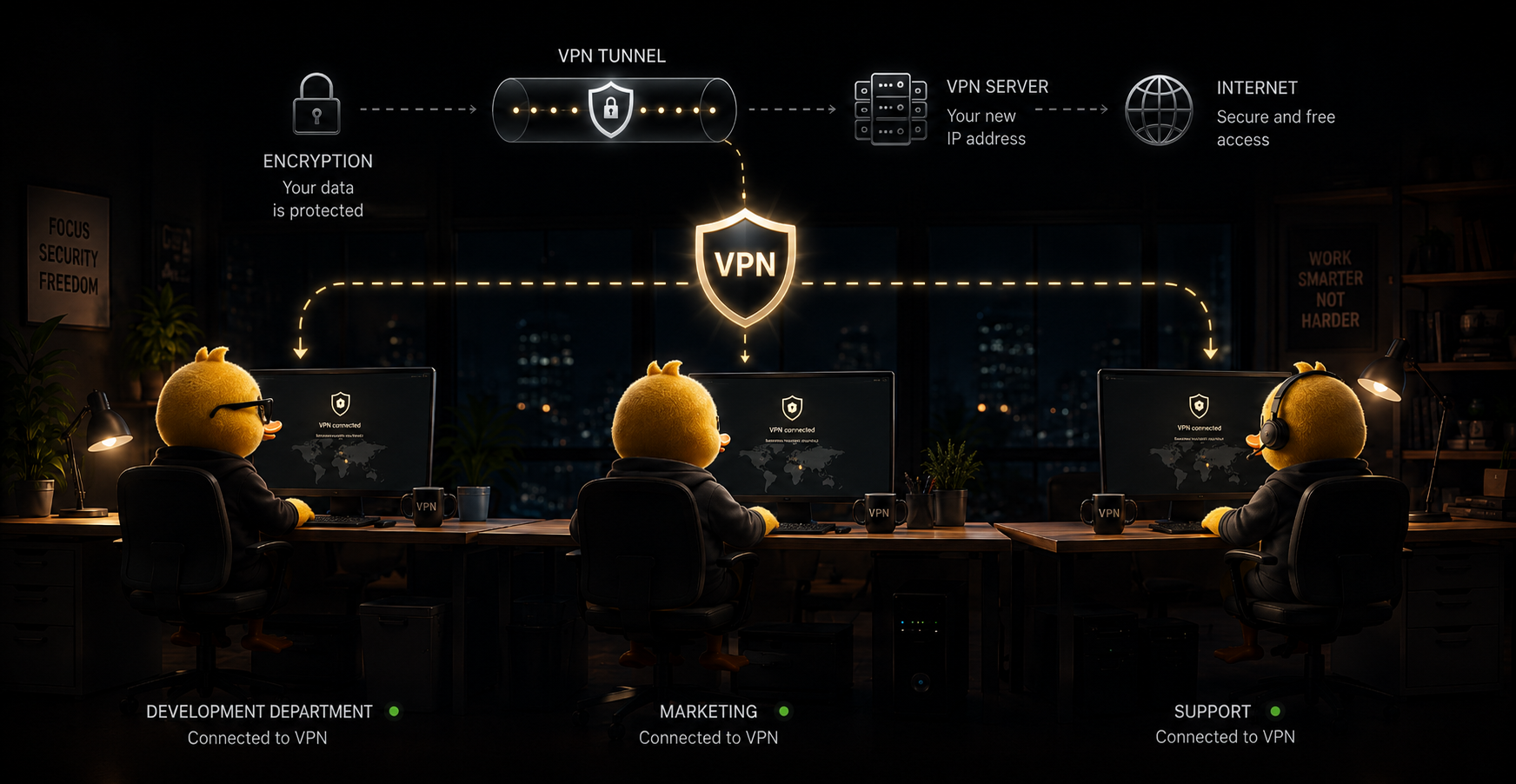
Virtual private networks weren't invented for getting past blocks at all. Large companies were looking for a way to link offices in different cities into one closed network and give employees secure remote access to internal systems over the public internet. An encrypted tunnel solved that more cheaply and flexibly than laying their own communication lines.
Over time the same principle made its way to private users. People appreciated that a tunnel not only protects corporate data but also helps preserve privacy in everyday life: hiding your address, working safely from a cafe, and restoring access to services that are unavailable in a particular region. That's how the VPN went from a narrow corporate tool to a mainstream piece of digital hygiene.
What VPN protocols are out there

A protocol is the set of rules by which a device and a server agree on encrypting and transferring data. It directly determines speed, stability, and resistance to blocking.
Classic protocols
OpenVPN and IKEv2 were considered the standard for years: reliable encryption and proven stability. Their downside is that filtering systems have learned to recognize the characteristic “fingerprint” of this traffic and block it.

Lightweight and modern
WireGuard brought high speed and a compact codebase that's easier to audit for vulnerabilities. It's a great choice where there's no heavy filtering, but under active blocking it too needs disguising.

Disguising protocols
VLESS with the Reality technology that OpsVPN runs on makes the connection indistinguishable from an ordinary visit to a major site over HTTPS. That's exactly why such traffic is extremely hard to spot and block.
What a VPN can and can't do
Plenty of myths have built up around VPNs: some expect total invisibility, others a magical internet speed boost. To avoid disappointment, it helps to understand clearly where the technology's limits are.
A VPN can
- Encrypt internet traffic on the stretch between your device and the server
- Swap your real IP address and hide your actual location
- Restore access to sites and services closed off by geography or censorship
- Shield your data on public and untrusted Wi-Fi networks
- Keep your ISP and ad networks from collecting your browsing history
A VPN can't
- Make you invisible if you sign in to your own personal accounts
- Cure or block viruses — that's the antivirus's job
- Spot phishing pages for you
- Speed your internet beyond the plan your ISP provides
- Remove the need to come up with strong passwords
Who it's for and when it helps
A VPN is useful for far more than getting past restrictions — it comes in handy in all sorts of everyday situations.
When traveling abroad
Familiar banking apps, government services, and favorite sites often restrict access from other countries. With a VPN you keep using them as if you'd never left home.
For remote work
Connecting to your company's internal services and exchanging documents happens over a secure channel, which lowers the risk of leaking business correspondence and work files.
For study and research
Many academic libraries, journals, and learning platforms are only available in certain regions. A VPN removes these barriers and opens up materials for research.
In everyday internet use
When blocking ramps up, messaging apps and social networks start to “lag” or won't load at all. A tunnel restores their stable operation with no stutters or drops.
What changes when you turn on a VPN
Visually: how your connection reaches a site unprotected versus through OpsVPN's encrypted tunnel.
- You
- Open connection(like a postcard)
- Your ISP sees everything
- The site sees your IP address
- You
- Encrypted connection(like an envelope)
- Your ISP sees nothing
- The site sees the VPN server's IP
How to choose a reliable VPN
There are dozens of services on the market, and far from all are equally useful. To avoid ending up with a slow or insecure option, it's worth paying attention to a few fundamental points when choosing.
Logging policy
A good service doesn't record which sites you visit. If a VPN provider keeps detailed logs, your privacy depends on their honesty and on how well that data is kept safe. OpsVPN doesn't store activity logs — there's simply nothing to record.
Modern protocols
Outdated protocols are easily recognized by filtering systems and blocked. Look for services with a current stack like VLESS Reality or WireGuard — they're faster and far more resistant to restrictions.
Server coverage and speed
The closer a server is to you and the more location choices there are, the higher the speed and the more stable the connection. A network across different countries also gives you flexibility when reaching regional services.
Free or paid
Completely free services often make money by showing ads or selling user data, and they throttle speed. A transparent paid model with no card on file and no hidden charges is usually more reliable and more honest.
The technologies OpsVPN runs on
Instead of dated protocols, OpsVPN relies on the modern VLESS Reality and XRay stack. It passes VPN traffic off as an ordinary request to a major site over HTTPS, so the connection stays stable even where deep packet inspection (DPI) is enabled and classic VPNs are actively blocked.
OpsVPNCommon questions about VPNs
Quick answers to what beginners most often ask before they start using a VPN.
Ready to try a VPN?
Connect in a couple of minutes — no card on file and no auto-charges.