How to Download Happ in 2026 After It Was Removed from the Russian App Store
Download Happ in 2026 after its removal from the Russian App Store without complicated workarounds. Check the current Happ - Proxy Utility Plus listing first. If it does not open with your Apple Account, changing the region in Settings will usually solve the problem.
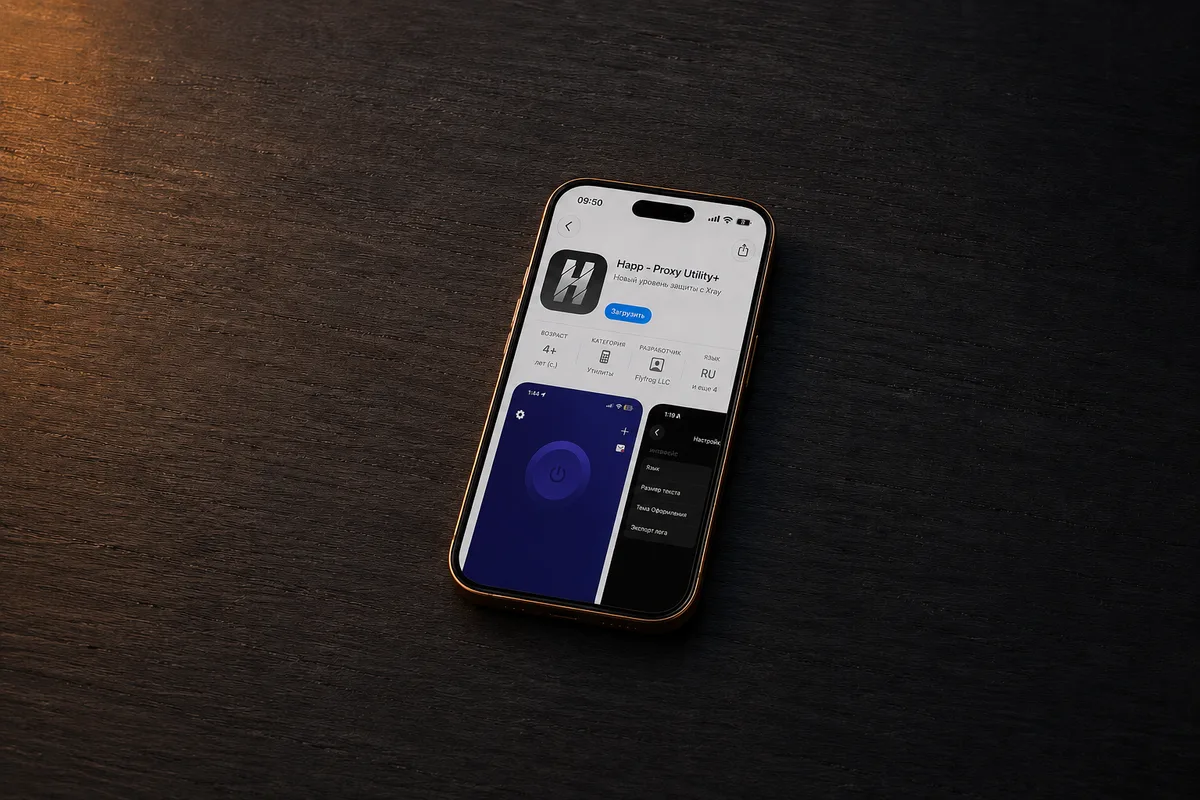
Happ's changing availability has caused confusion. Some users lost access, others kept using an installed copy, and then the app returned. Here is what works today.
Contents
What Happ is
Why the app was removed in Russia
Where to download Happ now
How to change your region on an iPhone
Installing Happ on Android
Important safety tips
FAQ
Final thoughts
What Is Happ and What Does It Do?
Happ is not a traditional VPN with its own servers. It is a client for adding a configuration or subscription link and creating connection rules.
The app is based on Xray and supports several popular protocols:
VLESS with Reality;
VMess;
Trojan;
Shadowsocks;
SOCKS;
Hysteria2.
You still need your own server or a provider's configuration. The official App Store listing states that Happ does not sell VPN access.
What Happened to Happ in Russia?
In March 2026, Happ - Proxy Utility disappeared from the Russian App Store. Happ - Proxy Utility Plus followed, but Apple removed it on June 24. Russian accounts saw a regional availability notice.
The Happ team linked the removal to Roskomnadzor, Russia's communications regulator. Apple and the agency did not disclose details. vc.ru published a timeline.
The app returned on June 29, initially through a direct link. The Russian Happ - Proxy Utility Plus listing is currently accessible. If that changes, switch the Apple Account region.
Do not assume the app is gone just because App Store search returns no result. New or restored listings may take time to appear in search, while the direct product page already works. Bookmark the official page and verify the developer name every time, since copycat apps can use similar titles and icons.
How to Download Happ in 2026
SituationRecommended actionDifficultyThe Happ Plus listing opensDownload it from the direct linkEasyThe iPhone says it is unavailableChange the Apple Account regionModerateHapp is already installedKeep it installed and check for updatesEasyYou use an Android phoneUse Google Play or the official APKEasySomeone offers an IPA in a chatDo not install an unknown buildHigh risk
If Happ is installed, do not rush to delete it. Store removal normally does not erase the app, and saved configurations may keep working. Problems usually arise when an update or new download is needed. Save your server credentials separately.
Open the Happ - Proxy Utility Plus listing and verify the developer: Flyfrog LLC. If Download appears, install it normally. It requires iOS 15.0 or later.
If the app is unavailable, a foreign VPN server usually will not help. The App Store catalog follows your Apple Account region. Changing that setting is often enough.
Quick Guide: Change the App Store Region on an iPhone
Open Settings and tap your name.
Select Media & Purchases, then tap View Account.
Open Country/Region.
Tap Change Country or Region.
Choose a country where Happ is available and accept the terms.
Enter the requested billing address and payment details.
Return to the App Store and install Happ from the official link.
Apple explains the process in its region-change guide. Subscriptions, store credit, or Family Sharing may block the change. A local payment method may also be required.
Before switching countries, review your active services and spend any remaining store balance. If a subscription is still running, you may have to cancel it and wait until the paid period ends. Leaving a Family Sharing group can also be necessary. These checks prevent the region menu from failing halfway through the process.
Alternatively, create a separate Apple Account for App Store downloads. Enter accurate information because rules vary by country.
What to Do After Installing Happ
When Happ opens, allow iOS to add a VPN configuration. Import your settings, then check that:
the configuration came from a source you trust;
the server is active;
your IP address changes after connecting;
your use follows applicable rules and laws.
The developer does not sell “official Happ keys.” Treat that phrase with caution.
How to Install Happ on Android
The App Store removal affected Apple devices. On Android, Happ is on Google Play. Otherwise, use only the official Happ website or project repository.
Avoid modified builds from forums, chats, and copycat websites.
Installation Methods to Avoid
Unknown IPA files, certificates, and management profiles create risks:
the certificate may be revoked, causing the app to stop launching;
a modified build may contain unwanted or malicious code;
updates will not arrive through the App Store;
a fake app may use Happ's name and icon.
Use the official listing. For regional restrictions, change the Apple Account country instead of trusting an unknown certificate.
Final Thoughts
You can download Happ in 2026 despite a regional restriction. Check Happ - Proxy Utility Plus through the direct link first. If unavailable, changing the Apple Account region is usually enough on iPhone or iPad, after resolving subscriptions, credit, or Family Sharing. On Android, use Google Play or an official APK.
Happ is a client, not a ready-made VPN service. Connection quality and security depend on the server, the settings source, and safe installation. Keep backups too.